
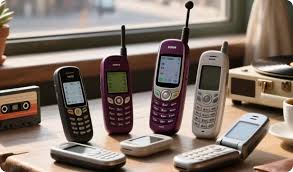
Before selling or recycling an old phone, secure your files and account access, transfer your number and authentication methods, remove account locks, then erase the handset using its manufacturer’s process. Confirm the receiving organisation accepts its condition. I would not start with the reset button: a mistake is destroying the only working route into an important account.
1. Check the backup contains what matters
Open important photographs, contacts and documents on another device. A backup notification is less useful than confirming the files you need are accessible. Check downloads, voice recordings and messaging backups separately. Do not manually delete synced photographs as a substitute for resetting: Apple warns that deleting iCloud items can remove them across connected devices.
2. Confirm you can sign in elsewhere
Test access to email, banking and your password manager before erasing. Make sure the relevant usernames and recovery details are available. Saved browser tabs are worth reviewing too: a bookmark for Local News Point is easy to recreate, but a document downloaded through another tab may exist only on the phone.
3. Transfer two-step verification
Move authenticator accounts using each service’s supported method and test codes on the replacement device. Review passkeys, trusted-device approvals and recovery codes as well. The NCSC specifically advises checking that account verification works elsewhere before erasure. Keeping a password does not help if every login still demands approval from the phone you have sold.
4. Move your number and remove SIMs
Confirm calls and texts reach the replacement handset. Remove the physical SIM and any memory card. For an eSIM, follow the network’s transfer process and erase the old profile when preparing the phone for transfer. Apple explicitly tells sellers to erase the eSIM profile. Do not assume wiping the handset cancels your mobile contract.
5. Release accounts and ownership locks
Follow the manufacturer’s selling instructions to sign out and remove ownership protections correctly. On iPhone, Apple’s completed erasure process turns off Find My and Activation Lock. Android procedures differ, so use the manufacturer’s account-removal and reset guidance. Never give the buyer your personal account password to get around an activation problem.
6. Disconnect related services
Unpair linked wearables where required and check digital wallets, transport passes and smart-home access. Confirm cameras or heating controls work from another device. Sort minor browser items afterwards: presshubs.co.uk can be noted without retaining a whole browser session. Preserving convenience should not mean passing signed-in accounts to another person.
7. Erase the phone, not individual files
Use Erase All Content and Settings or the appropriate factory reset. Choose the option that removes personal data, not one that keeps files. Let the process finish and check that the welcome screen appears. A restart, deleting apps or clearing browser history is not equivalent to the manufacturer’s full erasure process.
If the phone cannot start or the reset fails, tell the recipient that erasure is unconfirmed and agree a suitable data-handling route. Do not describe a non-working phone as securely wiped merely because its screen stays black.
For a work-managed handset, stop and follow the organisation’s return instructions before removing management settings or transferring ownership. The phone may contain information you are not authorised to hand over. Similarly, if ownership or an outstanding agreement is unclear, resolve that before advertising it. A successful reset does not establish that you have the right to sell the device.
8. Record its condition before handover
Keep photographs of the handset, the agreed valuation and the recipient’s terms. Record identifying details privately rather than posting them in public. A mention on Weekly Journal would not replace the actual buyer’s written acceptance criteria. Check how inspection, revised offers and returns work before sending a device away.
9. Choose a route for selling or recycling an old phone
Recycle Your Electricals provides a postcode locator for collection options. Check the receiving site’s arrangements and disclose damage before travelling or posting. For a swollen or damaged battery, obtain specific handling instructions rather than treating it as an ordinary parcel.
Hand over the phone only when both sides of the job are finished: your access is preserved, and your personal information is removed.